www.sarkarinaukrikar.com
www.sarkarinaukrikar.com
Post Date: 04-July-2026
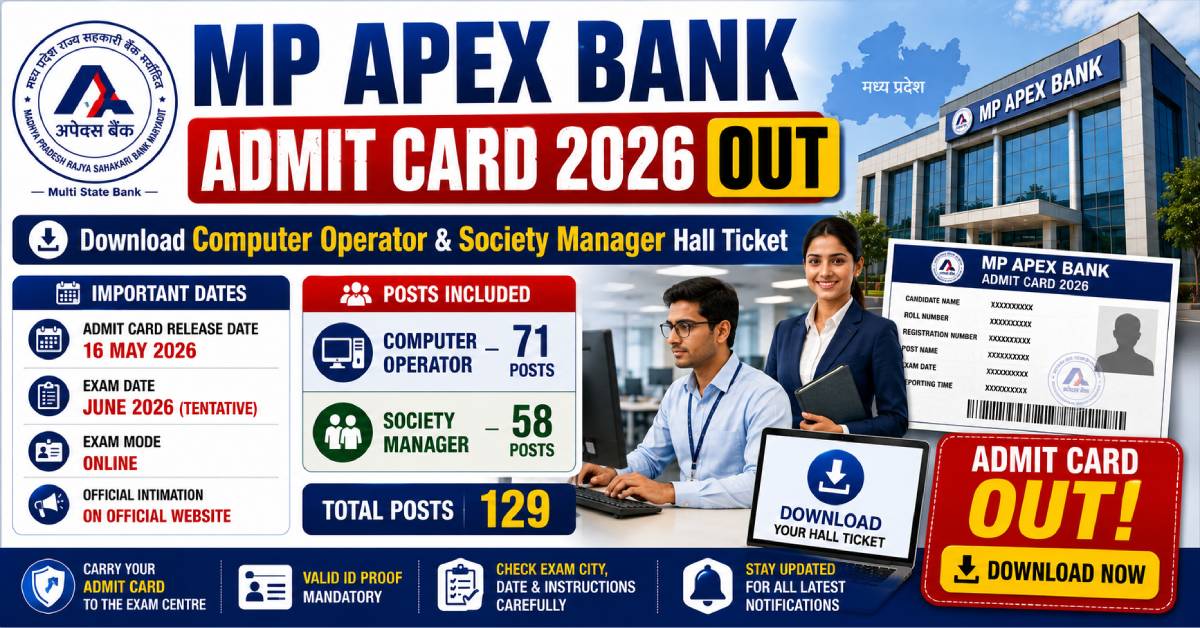
The MP Apex Bank Admit Card 2026 has been released for candidates appearing in the recruitment examination for Computer Operator, Society Manager, and other notified posts. Candidates who have successfully completed the online application process can now access their hall ticket through the official recruitment portal using their login credentials.
The admit card is one of the most important documents required to appear for the examination. It contains essential information such as the candidate's name, roll number, examination date, reporting time, examination centre, photograph, signature, and important instructions to be followed on the exam day. Applicants should carefully verify all the details printed on their admit card immediately after downloading it.
This article provides complete information about the MP Apex Bank Admit Card 2026, including the download procedure, important dates, details available on the hall ticket, documents to carry, exam day guidelines, frequently asked questions, and other important updates. Candidates are advised to read the article carefully before appearing for the examination.
| Particulars | Details |
|---|---|
| Organization Name | Madhya Pradesh State Cooperative Bank (MP Apex Bank) |
| Examination | Recruitment Examination 2026 |
| Posts Covered | Computer Operator, Society Manager & Other Notified Posts |
| Document Name | Admit Card / Hall Ticket |
| Release Status | Released |
| Mode of Availability | Online |
| Official Website | Official Recruitment Portal |
| Selection Process | Written Examination and Further Selection Stages as Applicable |
The MP Apex Bank Hall Ticket serves as the official permission document allowing eligible candidates to appear for the recruitment examination. Without a valid admit card and an acceptable photo identity proof, candidates may not be permitted to enter the examination centre. Therefore, it is recommended that applicants download the admit card as soon as it becomes available and keep multiple printed copies for future use.
Candidates should also review all exam-related instructions printed on the admit card carefully. Reporting on time, carrying valid identification documents, and following examination guidelines will help ensure a smooth examination experience.
Candidates appearing for the MP Apex Bank recruitment examination should stay updated with all important events related to the admit card and examination schedule. Download the hall ticket well before the examination date to avoid any last-minute inconvenience.
| Event | Status / Date |
|---|---|
| Recruitment Notification Released | Completed |
| Online Application Process | Completed |
| Admit Card Release | Available Online |
| Examination Date | As Mentioned on the Admit Card |
| Result Declaration | To Be Announced |
Candidates who have successfully registered for the recruitment examination can download their admit card online by following the steps mentioned below.
Candidates should keep the following information ready before downloading the admit card:
| Required Information | Purpose |
|---|---|
| Registration Number / Application Number | Candidate Login |
| Password or Date of Birth | Authentication |
| Captcha Code (If Available) | Security Verification |
The hall ticket is available only through the official recruitment portal. Candidates should avoid downloading the admit card from unofficial or third-party websites. Always use the official website to ensure that the document is genuine and up to date.
After downloading the admit card, candidates should carefully verify all the information printed on it. Any discrepancy should be reported immediately to the recruitment authority.
Sometimes candidates may face difficulties while downloading their admit card. The following are some common reasons and their possible solutions:
| Issue | Possible Solution |
|---|---|
| Incorrect Login Credentials | Verify the Registration Number and Password carefully. |
| Server Busy | Try accessing the website during non-peak hours. |
| Slow Internet Connection | Use a stable and high-speed internet connection. |
| Browser Compatibility Issue | Use the latest version of Chrome, Edge, or Firefox. |
| Forgot Password | Use the password recovery option available on the login page. |
After downloading the MP Apex Bank Admit Card 2026, candidates should carefully review every detail printed on the hall ticket. The information must match the details provided during the online application process. In case of any discrepancy, candidates should immediately contact the recruitment authority through the official communication channels before the examination date.
| Information Available | Description |
|---|---|
| Candidate's Name | Full name of the applicant as per the application form. |
| Roll Number | Unique examination roll number assigned to the candidate. |
| Registration Number | Application registration/reference number. |
| Photograph | Candidate's uploaded passport-size photograph. |
| Signature | Digital signature submitted during registration. |
| Post Applied For | Name of the recruitment post. |
| Exam Date | Scheduled date of the examination. |
| Exam Timing | Reporting time and examination shift. |
| Exam Centre | Name and address of the allotted examination centre. |
| Important Instructions | Guidelines that must be followed on the examination day. |
Candidates must carry a printed copy of the admit card along with valid identity proof to the examination centre. Entry may be denied if the required documents are not produced during verification.
| Required Document | Purpose |
|---|---|
| Printed Admit Card | Mandatory entry document for the examination. |
| Aadhaar Card | Identity verification. |
| PAN Card | Alternative government-issued photo identity proof. |
| Voter ID Card | Identity verification. |
| Passport | Government-issued photo identity proof. |
| Driving Licence | Accepted identity proof. |
| Passport-size Photograph | Additional identification if required. |
To maintain the integrity of the examination, candidates should avoid carrying prohibited items to the examination venue.
Candidates are advised to follow all examination instructions carefully to ensure a smooth and hassle-free examination experience.
If you notice any incorrect information such as your name, photograph, signature, examination centre, or other personal details, contact the recruitment authority immediately through the official support channels. Do not wait until the examination day to report such issues.
1. Has the MP Apex Bank Admit Card 2026 been released?
Ans: Yes. Eligible candidates can download the admit card through the official recruitment portal using their registered login credentials.
2. How can I download my MP Apex Bank Hall Ticket 2026?
Ans: Visit the official recruitment website, log in using your Registration Number and Password or Date of Birth, and download your admit card in PDF format.
3. Which posts are covered under this admit card?
Ans: The hall ticket is issued for the notified recruitment posts, including Computer Operator, Society Manager, and other applicable vacancies mentioned in the recruitment advertisement.
4. What credentials are required to download the admit card?
Ans: Candidates generally need their Registration Number or Application Number along with their Password or Date of Birth.
5. Is it mandatory to carry a printed admit card?
Ans: Yes. Candidates should carry a clear printed copy of the admit card along with a valid government-issued photo identity proof.